

Ramiro Clemente LIVE!
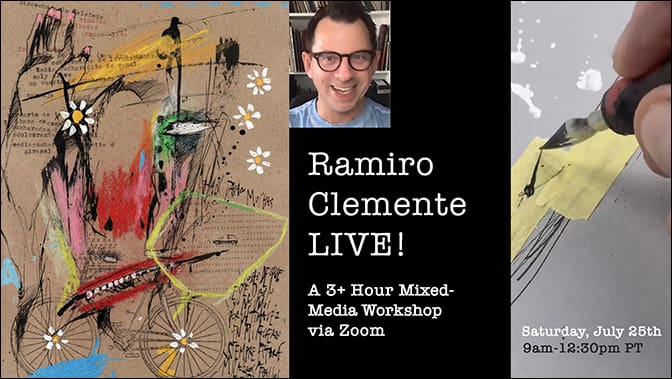
A Mixed-Media Workshop via Zoom
Saturday, July 25, 2026, Begins at 9am PST
Thank you for your signup!
____________________________________
Zoom Invite
Carla Sonheim is inviting you to a scheduled Zoom meeting.
Topic: Ramiro Clemente LIVE!
Time: Jul 25, 2026 09:00 AM Pacific Time (US and Canada)
Join Zoom Meeting
https://us02web.zoom.us/j/89867611983
Meeting ID: 898 6761 1983
Hi everyone!
Thank you so much for signing up for “Ramiro Clemente LIVE!” We are so happy you decided to join us for this mixed-media workshop via Zoom!
Below is the zoom link (in red!) for the Saturday, July 25th at 9am PT workshop. We will begin promptly! To get the most out of our time together I suggest you have all of your supplies ready to go. After the first demo, you will go right into working with your materials.
Here is our general class itinerary:
9am – Welcome and Ramiro’s Creative Thoughts
9:30am – Supplies Introduction & Demonstration: Beginning 3-4 Pieces
10:15am – Break
10:30am – Demo Continues, Work Along, Questions Welcome!
12:00pm – Final Thoughts & Optional Show+Tell
12:30pm – Class Ends
Class runs Pacific Time with a 15-minute break in the middle (click HERE for time converter, but basically it’s a morning workshop for West Coast USA, an afternoon workshop for East Coasters, and an evening workshop for Europeans).
And remember, if for some reason you need to miss the live event, it will be recorded and archived at the website within 48 hours and you will have forever access.
We will also send a reminder email the day before the event. Have fun gathering your supplies and thank you so much again!
Carla (and Ramiro!)
____________________________________
Supplies
Note: You can substitute any of these supplies with things you have on hand!
– 5-6 sheets (8″x10″ or smaller) of white or toned drawing paper (or your sketchbook)
– dip pen with nibs (Ramiro likes Brause #361 steno, Brause #511 or #Tachikawa T600, but please use what you can find!)
– black waterproof India ink
– some liquid watercolours or watercolour Brush pens
– small tube of Titanium white acrylic paint
– some soft pastels in colors of your choice
– a roll of archival masking tape
– paintbrushes of various sizes
____________________________________
Some ZOOM Tips
Hopefully by now most of you have used Zoom and are familiar with it! If you have never used Zoom before, here are some instructions on what to do:
- Open Chrome (or your internet browser Safari, etc.).
- Go to join.zoom.us.
- Enter your meeting ID provided by the host/organizer.
- Click Join. If this is your first time joining from Google Chrome, you will be asked to open the Zoom client to join the meeting.
Carla and Liam Sonheim will be the hosts for the meeting and will let you in. Once in, you will be automatically muted. If for some reason you need to unmute yourself, you will find the button the lower left corner of most devices.
There are two view options, Speaker View and Gallery View. You can find that function in the upper right corner on most devices. In Speaker View, Zoom will automatically feature anyone who is speaking; in Gallery View there will be many squares of equal size. It’s up to you how you prefer to watch it!
During the demonstration portions of the class, Ramiro’s screen will be Spotlighted, and everyone will only be able to see his table in Speaker View. When instruction is over, the Spotlight will be removed but you’ll automatically be on Speaker View. In order to see in Gallery again, you’ll need to manually click view, then select Gallery.
If you have troubles and are logged out of the meeting, just try again. We keep an eye on people in the waiting room.
____
How to Contact Us
Carla Sonheim
[email protected]
Video or Technical issues:
Steve Sonheim
[email protected]